
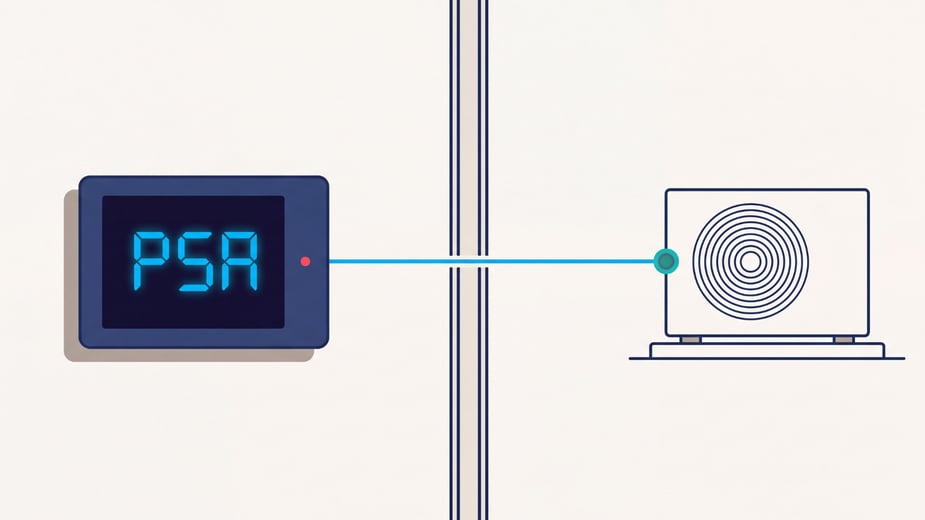
If you work with walk-ins long enough, you'll eventually see an alarm on an EcoSmart display. Some alarms point to a system issue that needs attention right away, while others are simply letting you know something isn't operating as expected.
At RDT, we receive frequent support calls about a handful of common EcoSmart alarms. In many cases, the issue isn't the controller itself. A condenser that isn't running, a missing communication cable, or a door switch that wasn't installed can all trigger alarms on the display.
That's why we created training videos covering these alarms and the first troubleshooting steps to take. The five alarms below account for many of the support calls we receive. This guide explains what each alarm means, what to check first, and when it's time to contact support.
At-a-Glance Guide to Common EcoSmart Alarms
| Alarm | What It Means | First Thing to Check |
|---|---|---|
| PSA | Pressure sensor alarm | Confirm the condenser is running and check pressure sensor connections |
| LSH | Low superheat alarm | Check the condenser and verify fan operation |
| HSH | High superheat alarm | Check the condenser and system operating conditions |
| CoA | Communication error | Verify Ethernet cable connections between controllers |
| DOR | Door switch alarm | Confirm door switches are installed and functioning properly |
Start Here Before Calling Support
Before digging into a specific alarm, start with a few basic checks. Many of the most common EcoSmart alarms are caused by installation issues, disconnected components, or equipment that isn't operating as expected.
We recommend checking the following first:
· Confirm the condenser is running and receiving power.
· Check wiring and connections for anything loose, disconnected, or damaged.
· Verify that Ethernet cables are connected between bonded controllers, if applicable.
· Confirm door switches are installed, wired correctly, and operating as expected, if equipped.
· After correcting any obvious issue, cycle power to the evaporator and see if the alarm clears.
For PSA, LSH, and HSH alarms, one of the first things we recommend checking is the condenser. Although these alarms appear on the evaporator display, the root cause is often elsewhere in the system.
If the alarm returns after these checks, continue to the troubleshooting steps below.
PSA, LSH, and HSH Alarms: Check the Condenser First
What These Alarms Have in Common
PSA, LSH, and HSH are among the most common EcoSmart alarms we receive support calls about. While these alarms appear on the evaporator display, the issue may not be with the evaporator itself.
One of the most common mistakes is immediately troubleshooting the evaporator without checking the condenser first.
What to Check First
If you see a PSA, LSH, or HSH alarm:
Step 1 — Go outside and verify the condenser is running.
Step 2 — Correct any issues found at the condenser.
Step 3 — Return to the evaporator and cycle power.
Step 4 — Allow the unit to run.
Step 5 — Watch to see if the alarm clears.
Alarm Definitions
| PSA | PSA (Pressure Sensor Alarm) indicates the suction pressure sensor is shorted, open, or reporting a pressure outside its expected range. |
| LSH | LSH (Low Superheat Alarm) indicates low superheat. |
| HSH | HSH (High Superheat Alarm) indicates high superheat. |
When to Contact Support
If the condenser is operating normally and the alarm returns after cycling power, contact RDT Support for additional troubleshooting.
CoA Alarm (Communication Error Alarm)
What It Means
A CoA alarm indicates that bonded controllers have stopped communicating with one another.
What to Check First
A CoA alarm is often related to a communication wiring issue, especially during startup or commissioning.
Start by checking the communication connection between controllers:
Step 1 — Verify a Cat5 or Cat6 Ethernet cable is connected between the controllers.
Step 2 — Confirm both ends of the cable are securely connected.
Step 3 — Check any network switches to make sure they are powered and operating correctly.
Step 4 — If this is a new installation, verify the cable was terminated correctly.
EcoSmart bonded controllers communicate through a wired Ethernet connection. They do not communicate over Wi-Fi.
Common Causes
· Missing Ethernet cable
· Loose cable connections
· Improperly terminated cable ends
· Network switch issues
· Communication wiring problems during startup
When to Contact Support
If all communication wiring has been verified and the controllers still cannot communicate, contact RDT Support for additional troubleshooting.
DOR Alarm (Door Switch Alarm)
What It Means
A DOR alarm is related to the door switch input.
When door switches are installed, opening the door temporarily shuts off the evaporator fans while cooling continues. If the door remains open beyond the programmed delay period, a DOR alarm will appear.
What to Check First
One of the most common causes of a DOR alarm occurs during startup when door switches were specified but never installed.
Start by checking the evaporator wiring diagram to determine whether door switches were included in the original specification.
If door switches are installed:
Step 1 — Verify the switch halves are aligned correctly.
Step 2 — Confirm the alarm clears when the switch is closed.
Step 3 — Check wiring connections for damage or loose connections.
Step 4 — Verify the correct input is being used for the door switch.
Common Causes
· Door switches that were never installed
· Misaligned door switches
· Damaged or disconnected wiring
· Incorrect input configuration
Pro Tip
If you're working on a new installation and the evaporator fans aren't behaving as expected, check whether door switches were specified but never installed. This is one of the most common causes of DOR alarms we see during startup.
When to Contact Support
If the door switches are installed and operating correctly but the alarm remains, contact RDT Support for additional troubleshooting.
Start Simple, Then Call Support If Needed
When an EcoSmart alarm appears, it's natural to focus on the controller or the evaporator. However, as we've seen with PSA, LSH, HSH, CoA, and DOR alarms, the issue often originates somewhere else in the system.
Before contacting support, take a few minutes to check the condenser, communication wiring, door switches, and other related components. These simple checks can often identify the source of the alarm and help get the system back to normal operation more quickly.
If the alarm remains after completing the recommended troubleshooting steps, our support team is here to help. Providing the alarm code and the steps you've already taken will help us diagnose the issue more efficiently and get you back up and running faster.
